TraxSystem · made by EROW, Bieruń, Poland
Vehicle entry control and dock scheduling system
A single log of everything that drives or walks onto a plant, logistics centre or logistics park: vehicles, drivers, employees, visitors and contractors.
- 2009 first deployment
- several dozen live deployments
- 391 settings, no coding needed
- 2 options for the server: at your site or in the cloud
Where to start
What do you want to sort out?
Start with whatever causes the most trouble today. Further modules can be added later and work from the same data.
Queues at the gate and phone calls about delivery times?
Carriers book their own time slots at the loading docks and see only the free ones. Drivers check in at the kiosk by the gate, and the dispatcher moves bookings around on the planning board.
Dock scheduling
Nobody knows who is on site?
Every vehicle visit is tracked from the moment it is announced until the vehicle leaves, so at any time you can see who is on site right now, why they came and how long they have been there.
Vehicle entry control
Gate operated by hand for every vehicle?
A camera reads the number plate, an access rule checks whether the vehicle is allowed in, and a one-way gate opens by itself. A missing booking or a site ban always goes to the operator.
Number plate recognition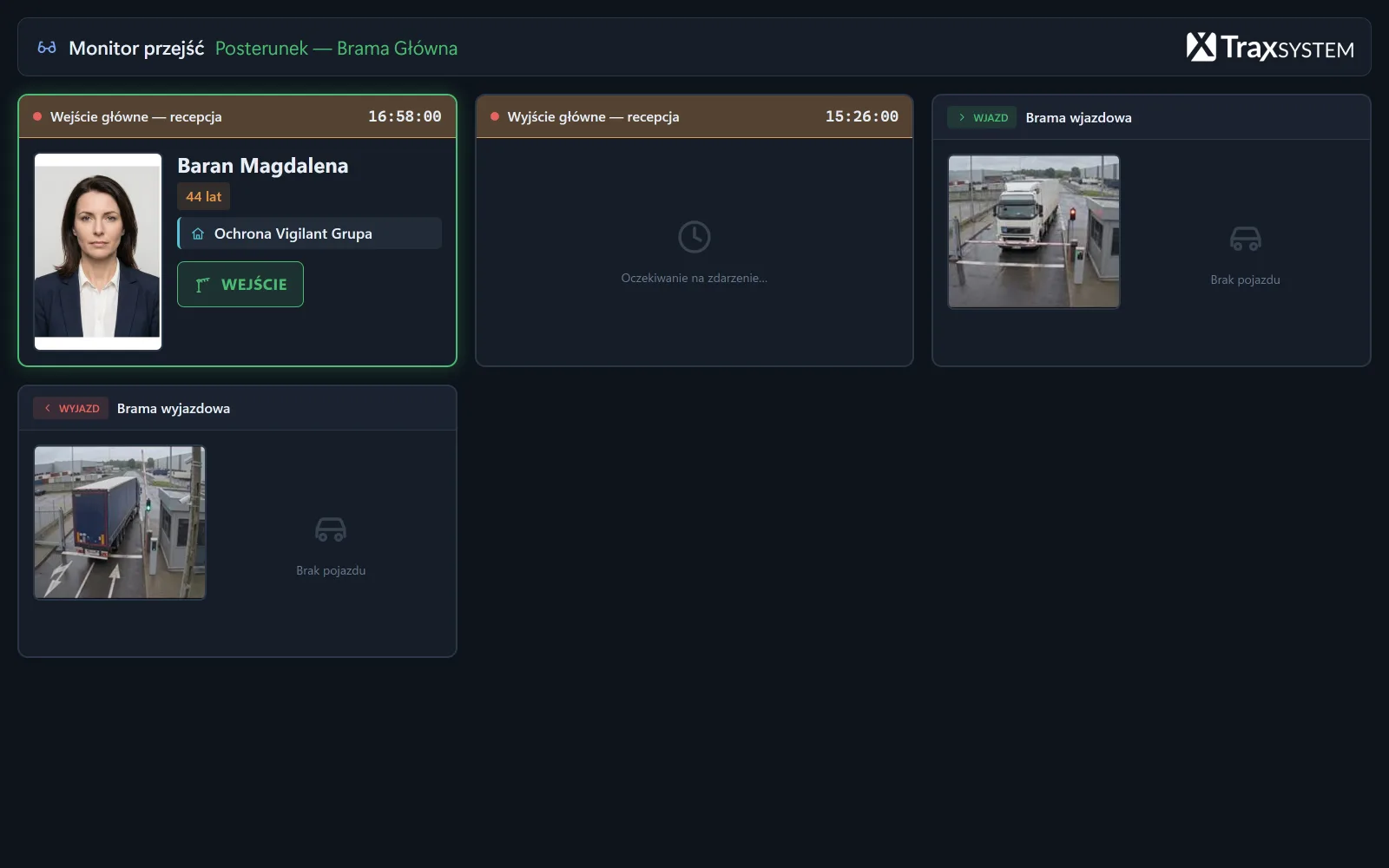
Net weight worked out on a scrap of paper?
The system reads the weight from the weighbridge and links it to the entry. The vehicle comes in loaded and leaves empty, or the other way round, and the system works out the difference and produces the weighbridge ticket by itself.
Weighbridge
Visitors and contractor crews let in on their say-so?
A card opens a door or turnstile only where its holder is allowed through, and only when. Employees, visitors, subcontractors and drivers are kept in one register, which produces the list of people on site.
Access controlContractor staff
Drivers coming on site without an induction?
The driver completes the induction at a terminal, in their own language, and signs it on the screen. The system keeps track of the expiry date, and when the alarm goes off it gives you a list of the people on site.
Safety inductions and evacuation
No proof that the patrol was done?
Each patrol leaves a record of its route and the checkpoints scanned, incidents are documented on the spot, and the duty log is no longer a notebook in a drawer.
Site security
Wagons and tracks recorded separately?
Wagons, tracks and wagon lists with UIC numbers are kept in the same log as road traffic, together with a portal for the rail carrier and weighing.
Rail traffic
Room booking, time and attendance, reports and carrier portals are described in the full list of features.
Who it is for
Which sites TraxSystem is for
Each type of site has its own page: how TraxSystem works in a place like that and what it will not solve there.
Manufacturing plant
Supplier traffic, driver inductions, time and attendance
Logistics centre and warehouse
Queues at the docks, delivery bookings, the daily plan
Logistics park with tenants
The limit of purchased parking spaces enforced at the gate
Plant with a railway siding
Wagons, tracks, wagon lists
Site with manned guarding
Patrols, duty log, incidents, lone working
Hotel and guesthouse
Guest stays without a staffed reception: room, parking, gate
On site
Where TraxSystem works on site and what it sees
Five places on a typical site. The numbers on each picture show where the devices are mounted, and the card shows what the operator sees at that moment.
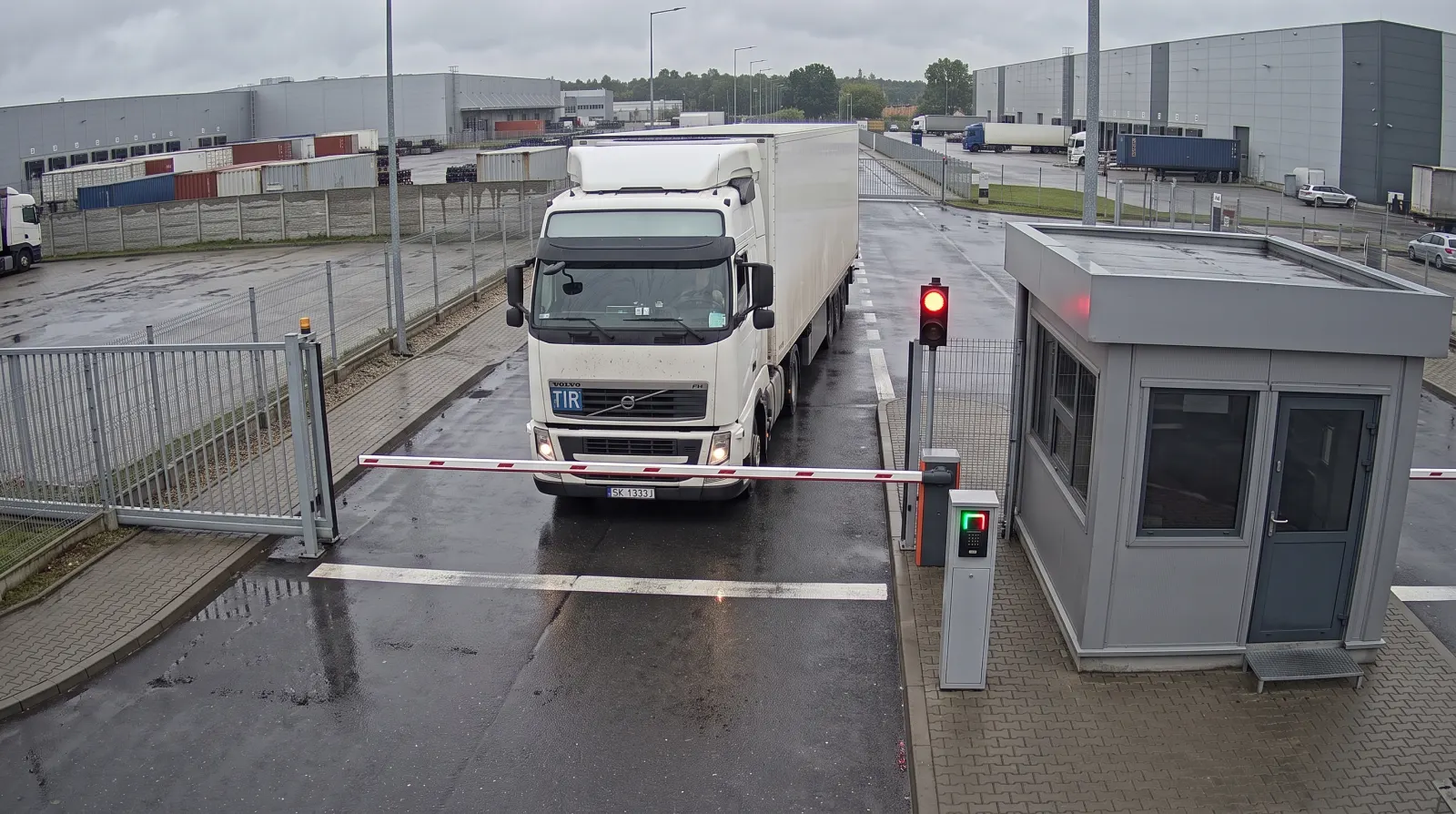
The camera reads the plate, a rule checks the booking, the barrier goes up by itself
The camera reads the number plate and an access rule checks whether the vehicle has a booking. At a one-way gate the barrier then goes up by itself, while a vehicle with no booking, a vehicle entry ban, an expired induction or an uncertain plate read goes to the operator.
Entry gate 1 · 10:04: Entry allowed automatically
- BarrierUsually the existing one stays. The TraxSystem controller sends an opening pulse to the barrier’s control input.
- Traffic lightOn a post next to the barrier. It can be driven by one of the outputs of the TraxSystem relay module.
- Card readerOn a post by the lane. A card is the second way of opening the barrier, alongside number plate recognition.
- GatehouseThe operator works here. Every vehicle the system does not let through by itself is passed to them.
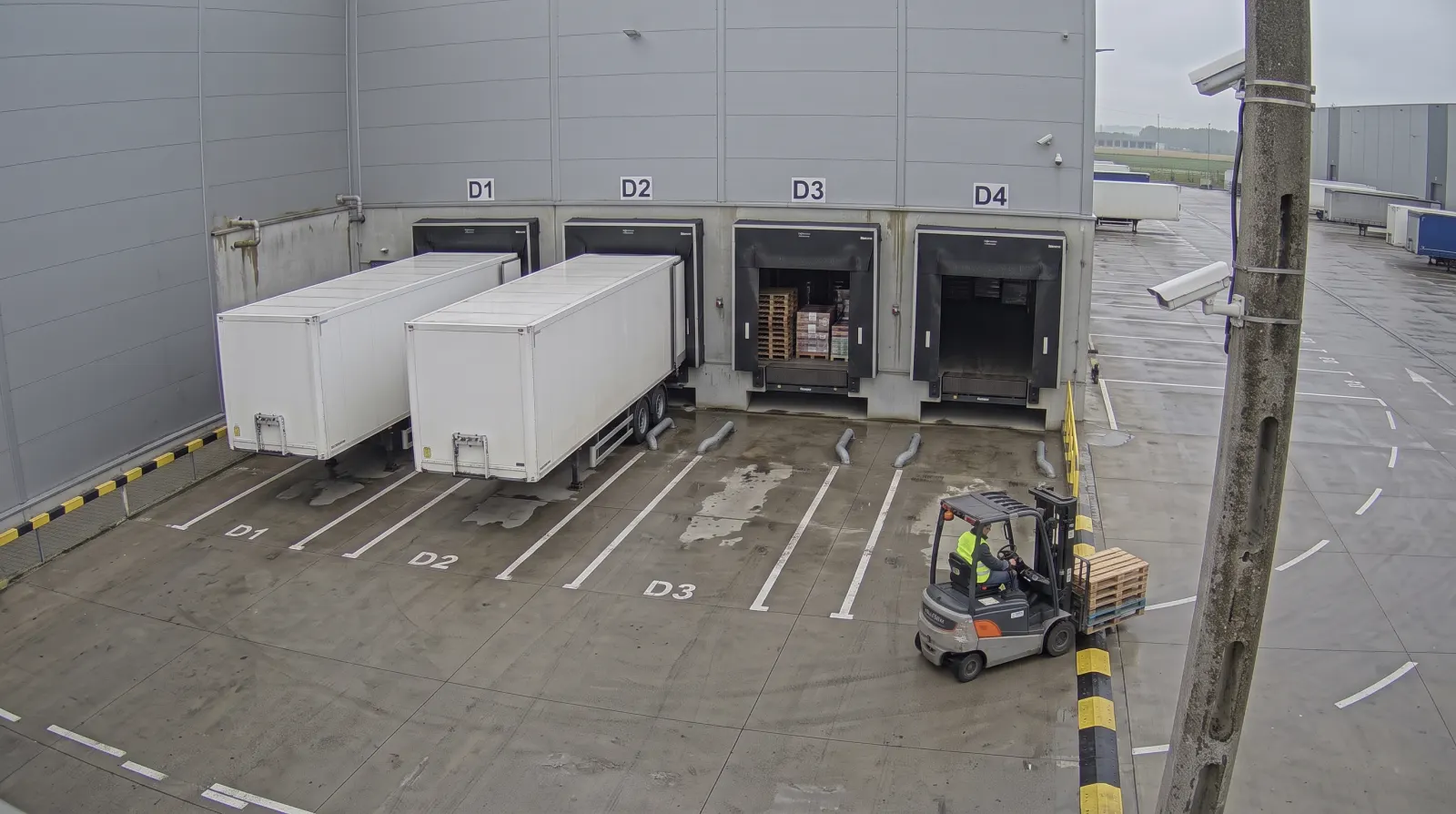
The dispatcher sees the dock time slots, the warehouse operative confirms unloading
Bookings spread arrivals across time slots and loading docks, and the dispatcher moves them between docks and sees delays and empty slots. The warehouse operative confirms the start and end of unloading in the plan.
Dock dispatcher · 9:52: Day plan for docks D1–D4
- Dock D1The start and end of unloading are confirmed in the plan by the warehouse operative, who sees only their own docks.
- Dock numberThe driver gets it on the pass from the kiosk and in the SMS clearing them to enter, and, if the dock changes, in another SMS.
- Dock D3The time slot also covers the time needed to prepare and clear the dock.
- Dock D4Slots are set for each dock separately. The carrier sees only the free ones in the portal.
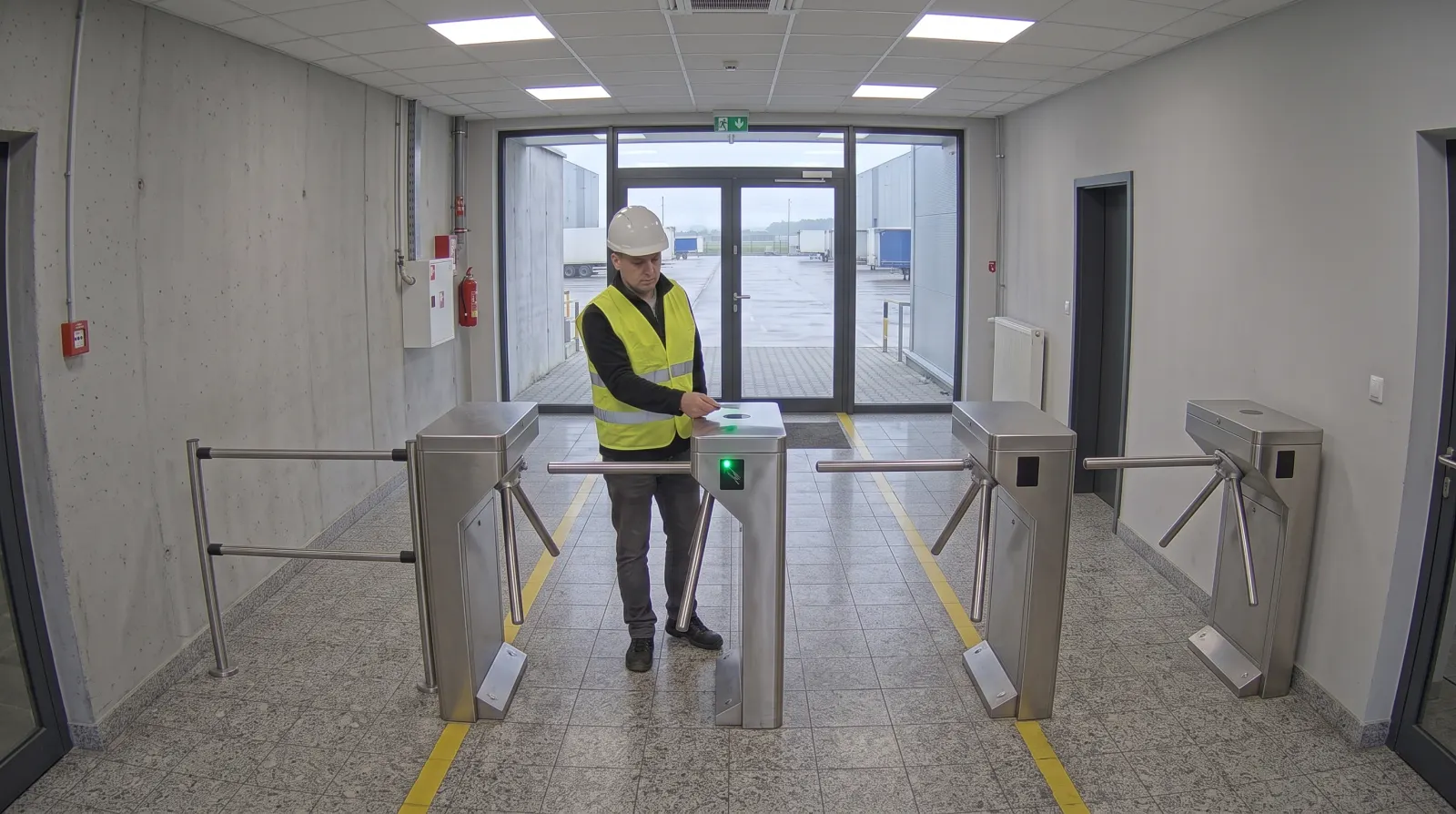
A card opens the turnstile, and the same tap puts the person on the list of people on site
A card opens the way only where and when an access rule, with its schedule and date range, allows it. The same passages produce the list of people on site and the time and attendance records, with no second card.
Turnstile 2 · lobby · 5:52: Entry allowed
- TurnstileIn line with the walkway. The arm releases after reading a card that is allowed through.
- Card readerOn the turnstile. Two readers decide whether a tap is an entry or an exit.
- Access controllerIn a cabinet by the passage, between the system and the turnstile. Without a network connection it works from its stored list of cards.
- Door to another zoneThe controller handles doors the same way as turnstiles: a card opens them only for people who are allowed in.
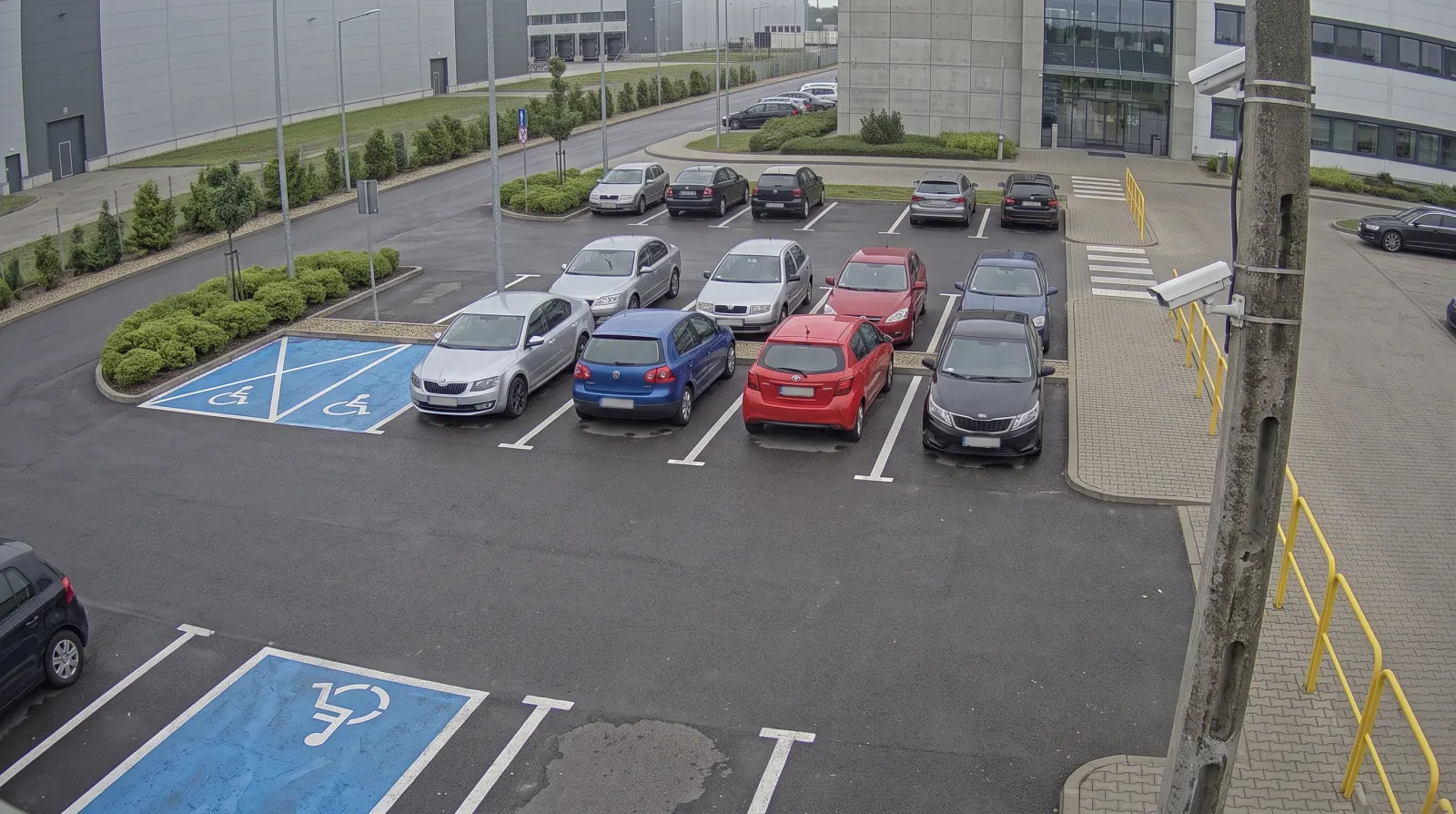
A tenant’s allocation of spaces is counted from entries and exits
Car park occupancy comes from recorded entries and exits, with no sensors in the surface. When the allocation of spaces for a leased unit is used up, the entry barrier does not go up.
Car park · Prakonta Spedycja: 3 spaces free
- Vehicle on siteIt appears on the list of vehicles on site, with the purpose of the visit and the time since entry.
- Free spaceNothing is installed here: occupancy follows from what has come in and gone out.
- Leased unitThe vehicle limit is set per leased unit; two units leased by the same company count as two separate allocations.
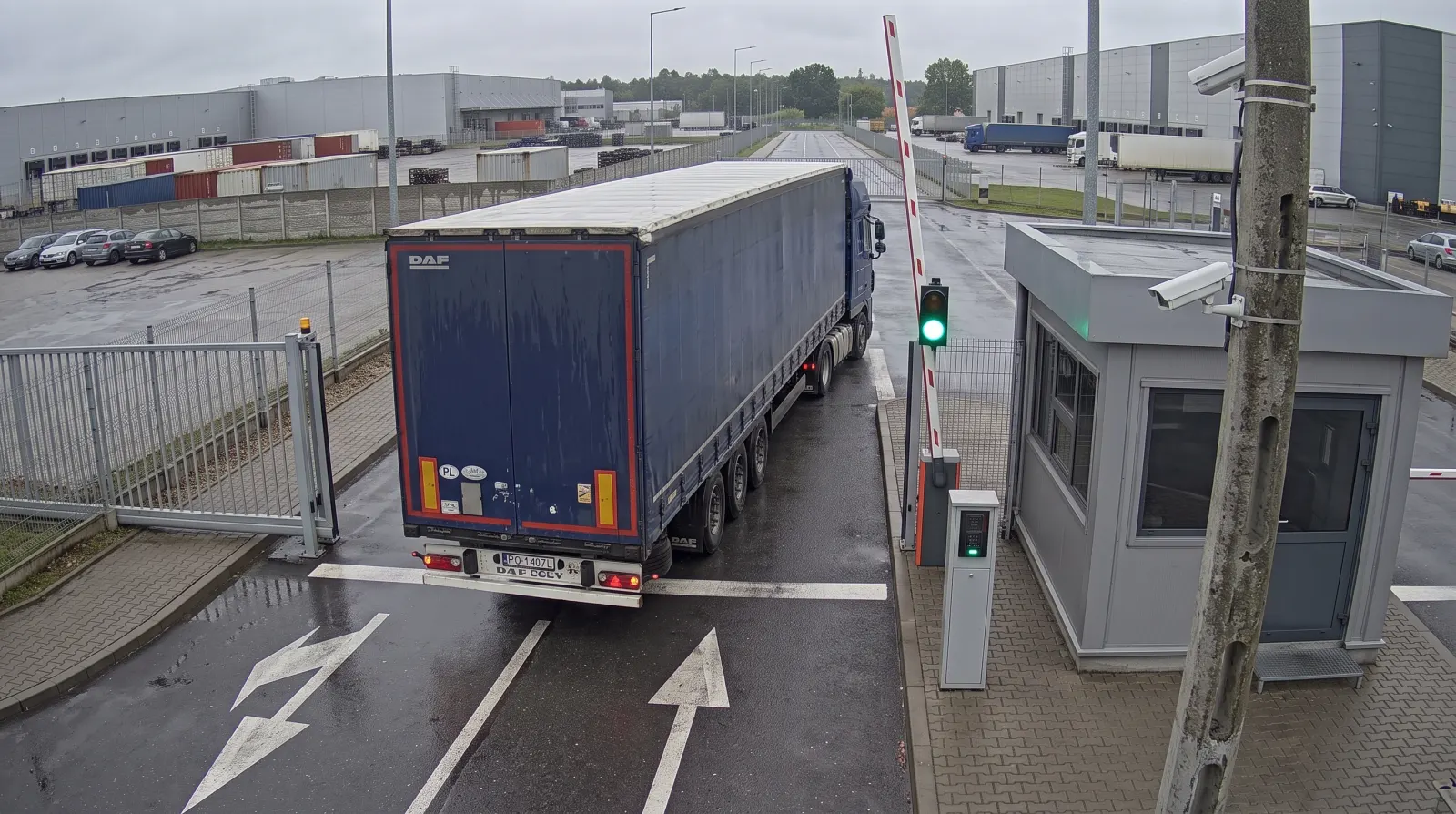
The exit camera reads the plate and closes the visit
The camera on the exit side reads the number plate, and the system closes the visit, attaches the photos from the gate and works out the time spent on site. The barrier goes up by itself only at a one-way gate with a separate exit lane, and an uncertain read goes to the operator.
Exit gate · 11:47: Visit closed automatically
- ANPR cameraOn a pole by the exit lane, pointed at the rear of the departing vehicle.
- Exit-lane barrierOn the separate exit lane. The controller sends an opening pulse to the barrier’s control input.
- Card readerBy the lane next to the barrier; the barrier can also be opened with a card.
- Security boothThe operator who deals with uncertain reads works here. Exceeding the permitted dwell time can trigger an alert, but it does not block the exit.
Case study
A manufacturing plant with three gates
No client name and no figures, because nobody measured the effect.
- Before
Lorries turned up whenever they liked. Vehicles waiting to be handled blocked the internal roads and entrances, so a problem with one load became a problem for the whole plant.
- What was put in place
Delivery booking and a carrier portal where haulage companies arrange their own slots. A kiosk went in at the gate, where drivers check in, and they receive clearance to enter by SMS.
- What changed
The order of handling follows the bookings. A vehicle without a booking does not drive in, and the ‘what time should I be there?’ conversations have moved from the security phone to the portal.
- What it did not solve
The peak-time queue only shifted once the plant decided that deliveries without a booking would be handled after the booked ones.
At the gate
How TraxSystem works at the gate
Twenty to seven, and seven vehicles are waiting at the gate. The first has come to collect goods that won’t be ready until the afternoon, and neither the driver nor the guard knows it. The second has a delivery booked for seven but can’t pull in, because the first is blocking the entrance. The driver of the third doesn’t speak the local language and is just being handed a sheet with the health and safety induction in a language they can’t read. Meanwhile the phone rings in the gatehouse: a freight forwarder wants to know what time to turn up tomorrow.
That is an ordinary morning at a site where everything runs separately. The delivery schedule lives in a spreadsheet, driver details in a notebook, inductions in a ring binder, and the decision to let a vehicle in rests with the person who is answering the phone at that very moment.
With TraxSystem, the entry log, the list of people on site and the induction record are created in the course of normal gate work, so nobody copies them into a spreadsheet in the evening. The vehicle’s whole route, from booking a dock to driving out, is the scope that logistics calls a yard management system (YMS).
Automatic barrier opening works only at one-way gates, with separate lanes for entry and exit. A two-way gate, a site ban, a missing booking and an expired induction always go to the operator, because the decision to let a person onto the site should be made by a person.
The carrier books a slot in the portal
They see only the free time slots at the docks and don’t phone the gatehouse.
Dock 03 · 07:00–07:30The driver checks in at the kiosk by the gate
They enter the vehicle details themselves, without involving security.
WA 1444Mtrailer WA 2210PHealth and safety induction in the driver’s language
Signed on the screen, with the expiry date recorded in the system.
SignedThe camera reads the plate, an access rule checks the booking
It raises the barrier or shows the operator why it didn’t.
Booking matchesNo booking: to the operatorThe log is created as the work is done
Entry, dwell time and exit in one place, together with a photo of the vehicle.
What the gatehouse stops doing
To judge what TraxSystem would change at your site, check which of these jobs your gatehouse does every day.
| The gatehouse does it today | moves to | With TraxSystem |
|---|---|---|
| The operator walks out to the vehicle and raises the barrier | camera and access rule, at a one-way gate | |
| Someone copies the driver’s details from their documents | the driver enters them at the kiosk | |
| Security explains the health and safety induction with hand signals | induction in the driver’s language, with a signature | |
| Reception deals with every visitor who comes in | the reader at the turnstile | |
| The dispatcher rings carriers about delivery times | the carrier books a slot in the portal | |
| Someone phones the driver to say they can come in now | an SMS calling the driver in | |
| The report is put together in a spreadsheet and someone emails it round | the report arrives by email on its own | |
| Security writes up patrols and incidents on paper | the guard terminal and the duty log |
The system does each of these jobs itself or hands it to someone who already has the data: the carrier, the driver or the reader at the turnstile. What that means for gatehouse staffing is best worked out against your own rota. Keeping the log of entries, visitors, cards and keys on a single screen is described on the electronic gatehouse page.
Configuration
Fitting the system to your process without programming
TraxSystem has 391 configuration settings that change how the application behaves without anyone writing code. They control whether each form field is shown and whether it is mandatory, the column layout of the logs, time thresholds and the content of documents, and above all entry types.
This is what most often wins us tenders. When a process changes at your site, a setting changes in the system, and you don’t have to order any development work from us.
Each entry type takes the vehicle along a different route through the site. One application handles all of them, in one deployment.
Raw material deliveryexample entry type
- Entry
- Weighing
- Consignment note scan
- Exit
Service visitexample entry type
- Entry
- Induction
- Visitor card
- Exit
Waste collectionexample entry type
- Entry
- Weighbridge ticket
- Exit
Architecture
On your server or in our cloud
TraxSystem comes in two variants, and in both the licence covers the same features. They differ in where the data is stored, who maintains the server and who carries legal responsibility for the processing.
On your server
When company policy does not allow hosting off site.
- The data never leaves the site
- No data processor is involved
- Your IT department maintains the server
In our cloud
When there is no server room or administrator on site.
- The server is located in Poland
- We take care of updates and backups
- We act as the data processor and sign a data processing agreement
In both variants the hardware is installed on site and needs network configuration. Architecture and deployment models · Personal data and security
Pricing with a configurator
TraxSystem pricing is published on this website. You choose the size of the base package and the modules, and the configurator recalculates the amount as you go, for both server variants and both ways of paying: a one-off perpetual licence or a subscription. Hardware is priced separately, outside the configurator amount.
You can take the figure straight to your manager without waiting for a quote.
Calculate the priceA demo set up for your site
For the demo we set up your gates, entry types and rules, and then walk through the whole process:
- booking
- driver check-in
- induction
- entry
- weighing
- exit
- report
You see every screen, including what the operator sees when something goes wrong, so you can judge the fit before signing a contract.
See what the demo looks likeScope limits
What TraxSystem does not do
On a site without cameras, barriers or readers, TraxSystem works as a register kept by hand. That is a good first stage if the devices are to be added later, but on its own it rarely justifies the purchase.
- It does not replace a warehouse management systemIt handles the point where the warehouse meets vehicle traffic, but it does not keep stock levels, locations or picking.
- It does not track vehicles on the roadLocation works only within the site.
- It does not calculate pay or holidaysIt works out working time from passages through readers and exports it to HR.
- It does not replace CCTVIt does not record video continuously. From the cameras it saves photos and short clips of the key moments of a visit, such as entry, exit or passing through a turnstile.
- It does not detect fireIt is not a fire alarm system, although in an evacuation it provides a list of the people present.
- It is not an analytics toolIt has ready-made breakdowns and export to a spreadsheet, but it does not build arbitrary queries.
Let’s talk about your site
The quickest way to check the fit is a demo. We walk through the whole process using your gate’s settings, and you can see straight away what fits and what needs to be set up differently. We don’t install anything at your site for the demo.